
Microsoft 365
The right licences, secure sign-in, working e-mail and backed-up files.
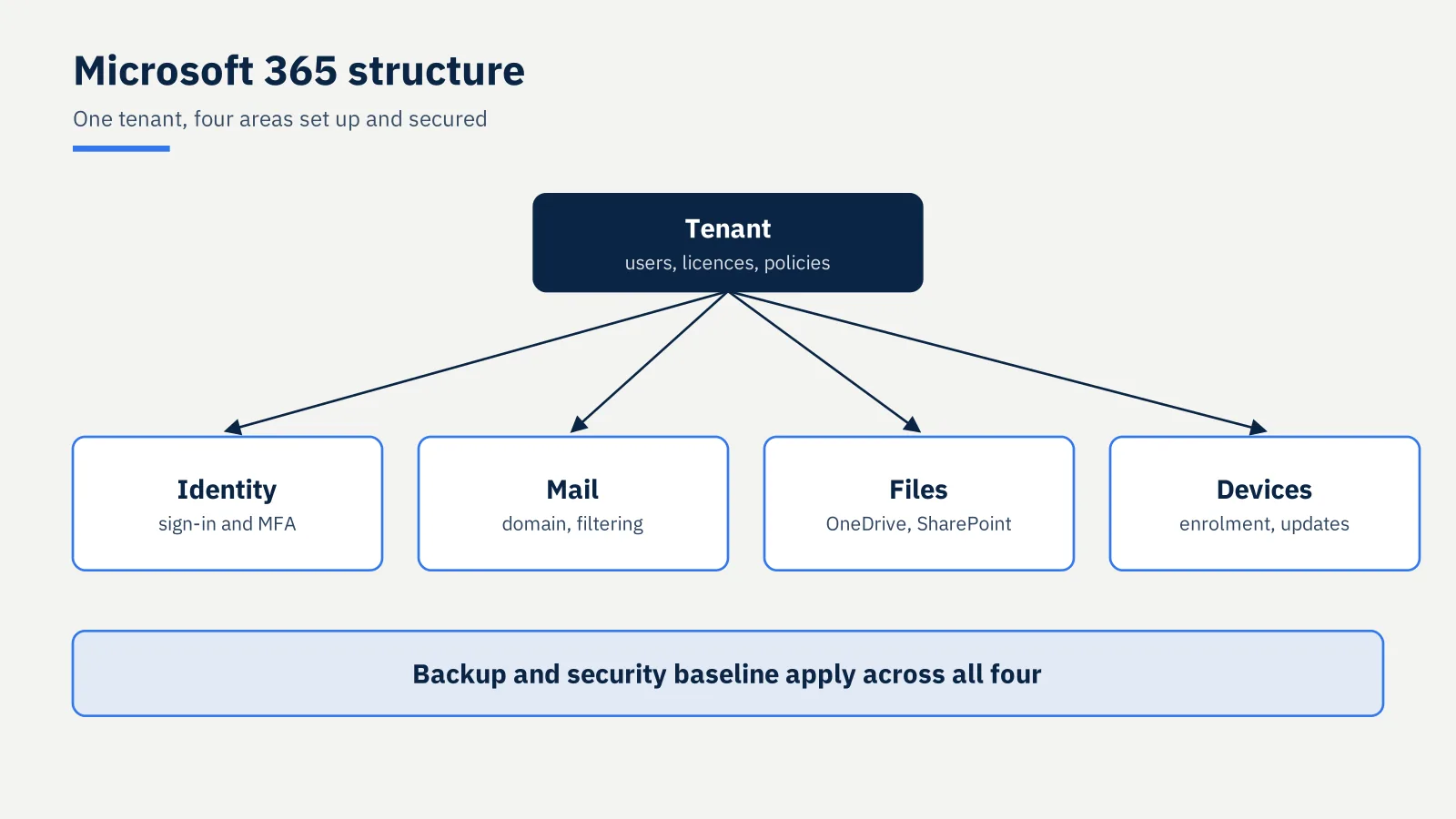
Many businesses pay for Microsoft 365 and use a fraction of it, with sign-in unprotected and files that are not backed up. Adamant Tech sets it up to be secure from the first day: the right licences, protected sign-in, working e-mail on your own domain, and files that are backed up. For small businesses, home businesses and households.
Microsoft 365 set-up
- Purchase and licence guidance
- Tenant set-up, users and licences
- Installation of the Office apps and OneDrive, with folder backup
- Teams and SharePoint structure for businesses
- Device enrolment where licensed
- Multi-factor authentication and recovery settings
- Microsoft 365 backup
- A short walk-through, and a Microsoft 365 basics session for staff on request
E-mail on your own domain
An address like name@yourdomain.co.za, on Microsoft 365 or on another provider.
- Mailbox set-up on every phone, tablet and computer
- Shared mailboxes and aliases
- SPF, DKIM and DMARC records, which decide whether a message is trusted
- Anti-phishing settings and multi-factor authentication
- Administrator documentation
Migrations
Moving from older mail and file servers or another provider, up to 25 seats, cut over outside working hours by arrangement, with a post-migration session. Migrations are scoped and quoted as a fixed-price job.
How it runs
Review the current set-up, plan the change, cut over in stages, apply the security baseline, verify delivery, and finish with a hand-over session. Ongoing administration sits under IT Support & Managed Services.
Not included
Day-to-day tenant administration unless under a managed plan, custom Power Platform development, mail archiving products, recovery of accounts locked by a provider, managed detection and response, and after-hours support.